NASA 教你拍月亮
《Lunar Photography Guide》是 NASA Science 月球栏目下的一篇入门指南,讲的是怎么用手机、相机或望远镜把月亮拍清楚:先从手头已有的器材练起,多拍多比对,慢慢找到合适的参数。
一、动手之前:多拍,再挑
Floating serenely in the sky, the Moon presents an enticing target for photographers on Earth. We’ve all seen moonlit moments that take our breath away and make us wish we could capture them forever.
月亮静静地悬在天上,是地面上每个摄影者都忍不住想拍的目标。那种让人屏住呼吸的月色,谁都见过,也都想把它永远留下来。
With some basic techniques and practice, you can be on your way to snapping great Moon images. Always start by experimenting with the equipment that you already have instead of investing in new devices. You’ll need to develop a good feel for the settings that work best, which will vary based on factors related to both your camera and the type of image you’re trying to capture.
掌握一些基本技巧、再练上几次,你就能拍出像样的月亮。永远先从手里已有的器材开始试,而不是先去买新设备——你真正需要的是对「哪组参数好用」形成手感,而这个答案取决于你的相机,也取决于你想拍成什么样子。
“Try and try again” is the key to great Moon photography. You might take hundreds of images before your Moon pictures start to look good to you, but don’t be discouraged ― the effort is worth the work. Take plenty of digital shots ― you can easily delete the ones that don’t work out. An important concept in all astrophotography is “lucky imaging,” which boils down to taking lots of photos so that you get at least a few in which the atmosphere was unusually steady, the camera didn’t shake, and the focus was perfect. You can also edit your photos afterwards. Even professional photographers use software to clean up and improve their Moon pictures.
「试了再试」是拍好月亮的全部秘诀。你可能要拍上几百张,才会第一次觉得自己的月亮照片能看,但别灰心——这份力气花得值。数码照片多拍几张不吃亏,拍坏的直接删掉就好。天文摄影里有个重要概念叫「幸运成像」(lucky imaging),说的就是多拍:只有拍得足够多,才能从中挑出至少几张——那几张刚好碰上大气异常稳定、机身没抖、对焦精准。拍完还可以修图,即便是专业摄影师,也会用软件清理和改善自己的月亮照片。
二、手机(Cell Phone)
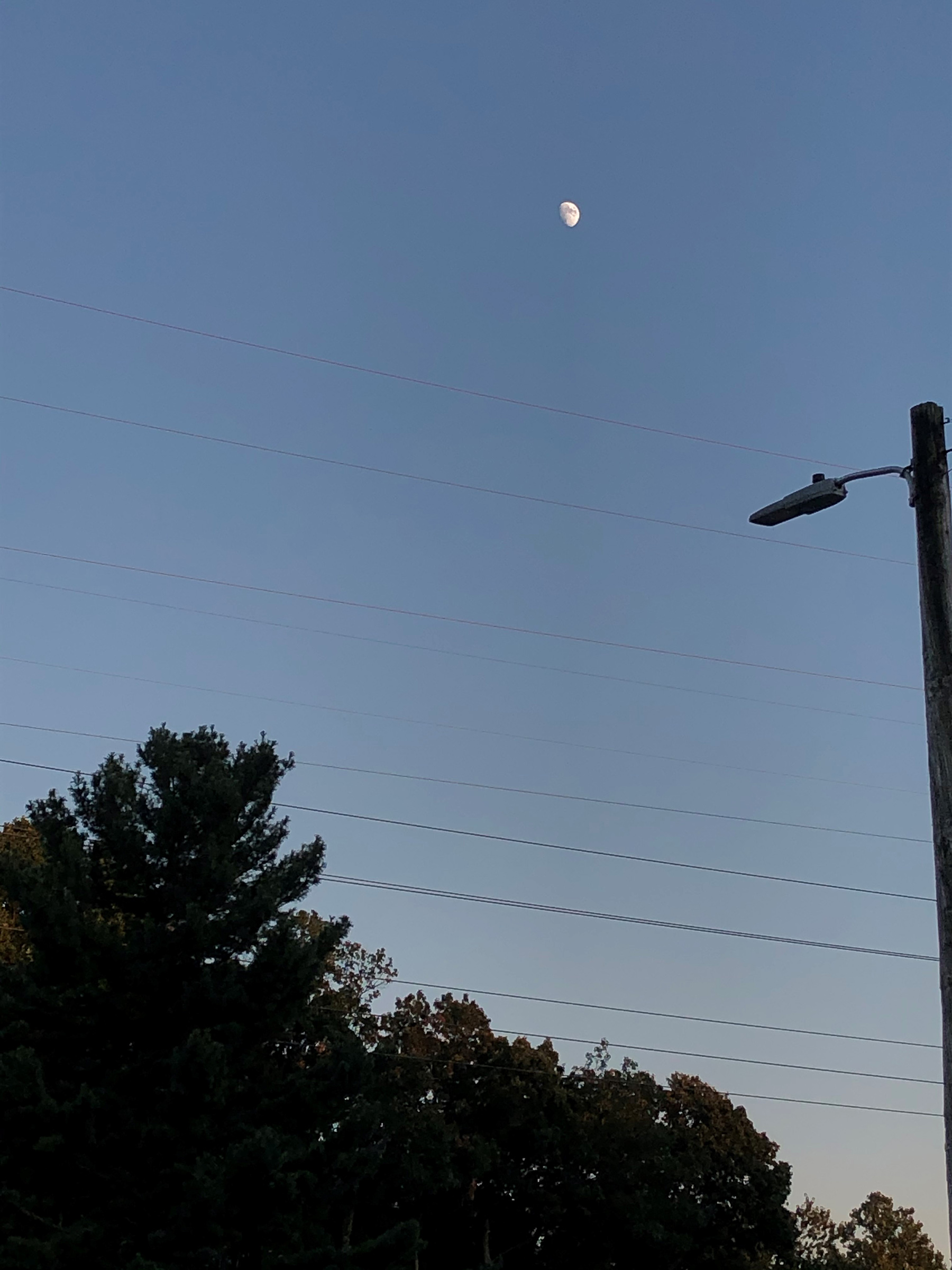
Focusing on the Moon itself and lowering brightness brings out detail when using a phone camera, while the twilight glow here helps keep the Moon from turning into a fuzzy white blob. NASA/Tracy Vogel
用手机拍照时,把焦点对在月亮本身并压低亮度,月面的细节才出得来;这张里的黄昏天光也帮了忙,让月亮没有糊成一团白斑。NASA/Tracy Vogel
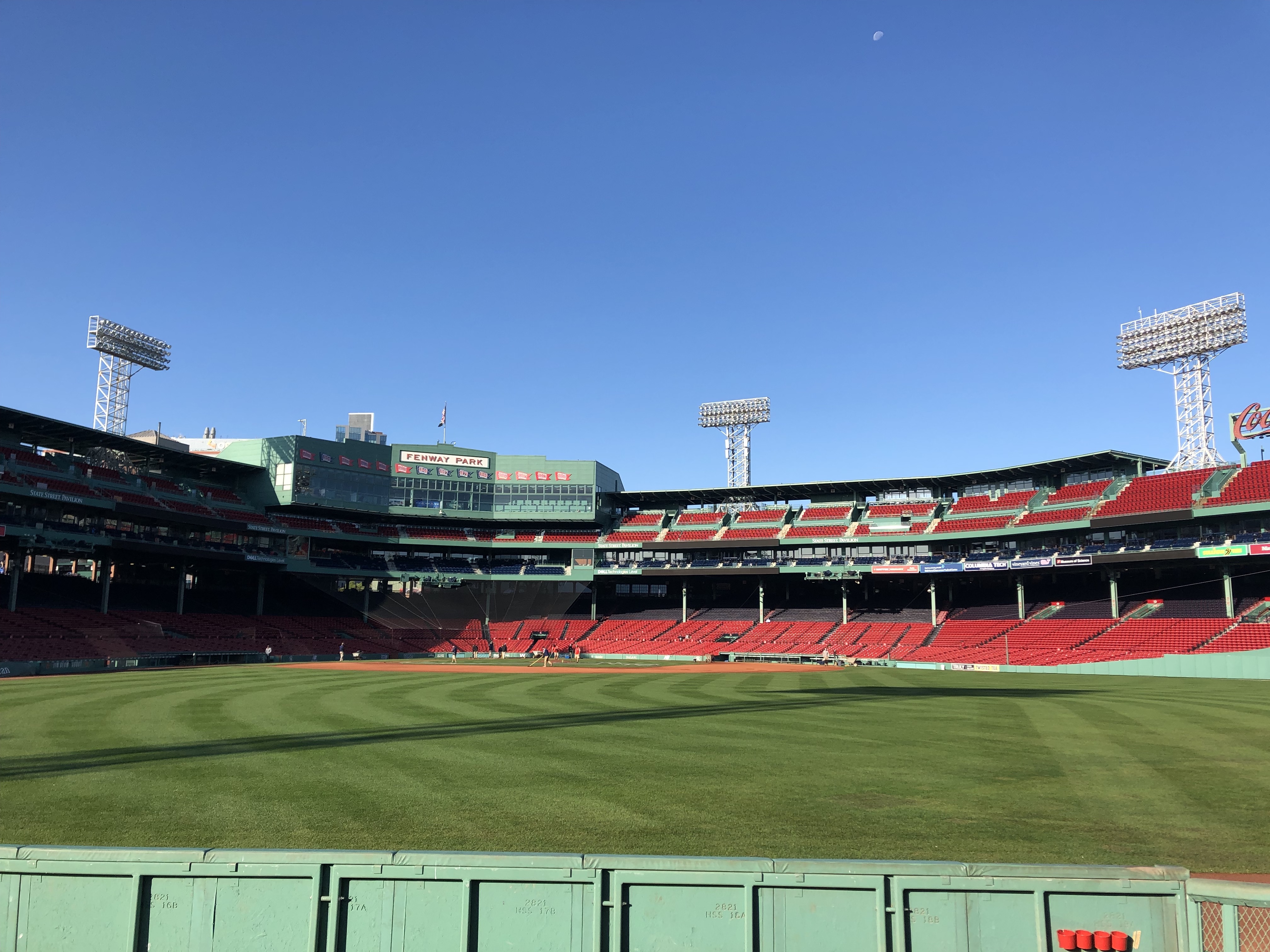
Composition can make the difference in pictures taken by cell phones, which can’t provide the detail of telescope or high-end camera images. Here the Moon is part of the scenery at Boston’s Fenway Park. NASA/Molly Wasser
手机给不了望远镜或高端相机那种细节,能拉开差距的就是构图。这张里的月亮是波士顿芬威球场夜景的一部分。NASA/Molly Wasser
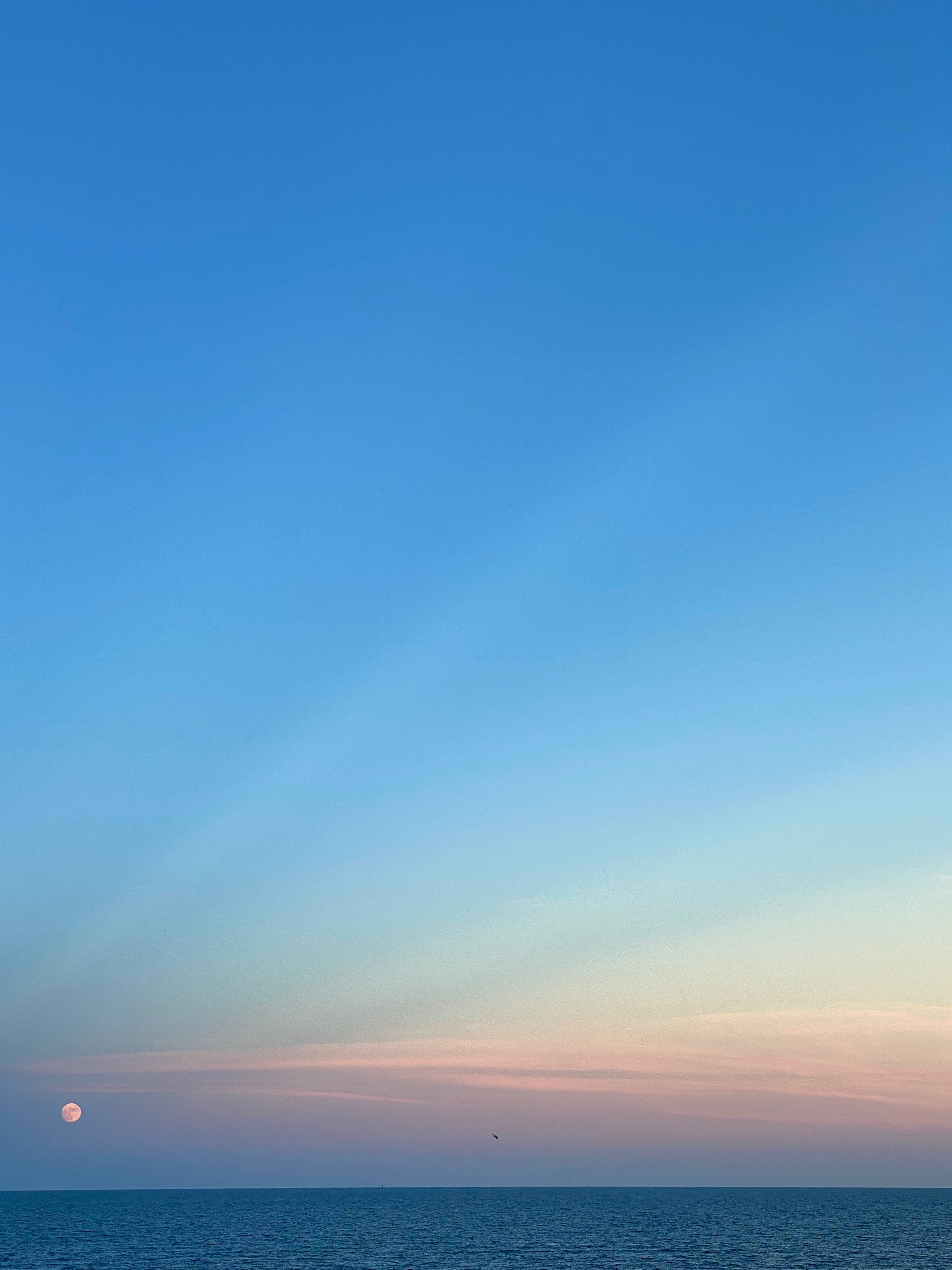
A softly illuminated sky helps keep the Moon’s details visible in this cell phone image, while the composition makes the Moon the center of attention ― everything seems to radiate from it. Lindsay Denman
柔和的天光让这张手机照片里的月面细节保住了;构图则把月亮推成视觉中心——画面里的线条似乎都在从它向外发散。Lindsay Denman
Find something to stabilize your phone. If you don’t have a tripod, prop your phone up on something steady. Composition matters when you’re setting up your shot. Look for foreground objects to frame the Moon, give context, or add to the design of your image.
先给手机找个支撑。没有三脚架,就把它架在某个稳固的东西上。构图在按下快门前就要定下来:找一些前景物体来框住月亮,或者交代环境,或者只是让画面更好看。
Turn off the flash, and focus your camera on the Moon instead of the sky, usually by touching it on your screen. To avoid a blown-out, fuzzy, white image, lower the brightness. You want the Moon to look gray rather than white. If you can see some lunar features on your screen, even better.
关掉闪光灯,把焦点对在月亮上而不是天空上——通常就是在屏幕上点一下月亮的位置。为了避免拍出一团死白、发虚的圆点,把亮度压下来:你要让月亮呈灰色,而不是白色。如果屏幕上已经能看见一点月面的痕迹,那就更好了。
Use a photo timer if your phone has one to help you avoid touching and jostling the phone when you snap the picture.
手机如果有定时拍摄功能就用上,免得按快门那一下碰到并晃动机身。
You may want to try taking your photos during a time when the Moon is not too much brighter than the sky, like twilight or dawn, so that your phone’s camera will have less contrast to deal with. Or you can try taking a picture as the Moon rises over the horizon, when it tends to appear larger.
也可以挑月亮和天空亮度差距没那么大的时候拍,比如黄昏或黎明,这样手机相机要处理的明暗落差更小。另一个办法是在月亮刚升出地平线时按下快门——那时候它看上去更大。
Zoom may or may not be helpful, depending on your phone. Some phones have a genuine optical zoom, but others have digital zoom and just perform a crop ― which you could do yourself after you take your picture. Experiment with your zoom to determine whether or not it will help with your Moon picture. If your phone allows you to change settings such as ISO (sensitivity to light) and aperture (the size of the opening that lets in light), try setting the ISO low and the aperture wide. If possible, you can also play with the shutter speed to ensure that the Moon is exposed correctly. Start with a faster shutter speed and adjust downward.
变焦有没有用,取决于你的手机。有些手机是真正的光学变焦,另一些只是数码变焦——本质上就是裁切,而这种裁切你拍完之后自己也能做。上手试一下,看变焦到底帮不帮得上忙。如果手机允许你改 ISO(感光度)和光圈(进光孔径大小),试着把 ISO 调低、光圈开大。条件允许的话再动一下快门速度,确保月亮曝光正确:从偏快的快门开始,再一档一档往慢调。
If you have access to a telescope, you can point your phone into the eyepiece. With the right positioning, you can obtain a crisp, clear Moon image.
如果你能用上望远镜,可以把手机镜头对准目镜。位置对上了,就能得到一张清晰锐利的月亮照片。
三、数码相机或胶片相机(Digital or film camera)
A camera will give you many more options than a phone. You’ll have more settings to experiment with, and more ways to compose your shot since the camera can easily capture details of both the sky and ground. If you have a DSLR camera, use that, but if you don’t you can take a good Moon picture with the equipment you have on hand. If possible, take your images in raw mode to give you the best options for editing your images later.
相机的可选项比手机多得多:能调的参数更多,构图方式也更多,因为相机可以同时照顾到天空和地面的细节。有单反就用单反;没有的话,用手头现有的器材同样能拍出不错的月亮。条件允许就拍 raw 格式,后期调整的余地最大。
First, decide on a goal for your photographs. Do you want to show the Moon framed by trees, or the way the Moon’s phases change throughout the month, or to capture the orange color of the Moon as it hovers just above the horizon?
先想清楚这组照片要什么。是想让树枝把月亮框起来,还是记录一个月里月相的变化,还是抓住月亮贴着地平线时那种橙色?
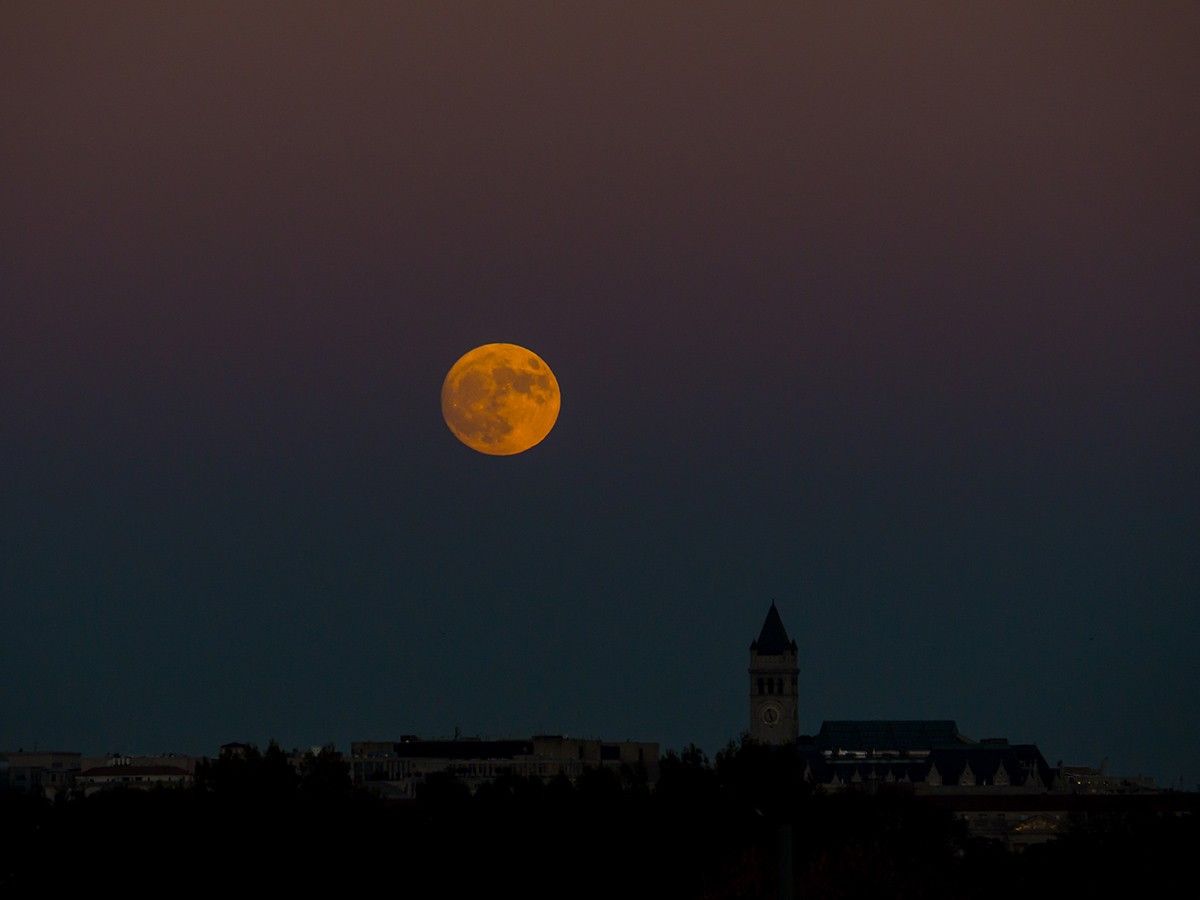
Shot low to the horizon, the Moon dominates the scenery below. This image was taken with an aperture set at f/5, a shutter speed of 1/400 and an ISO of 800. NASA/Scott Hull
贴着地平线取景,月亮压住了下方所有景物。这张照片的参数是光圈 f/5、快门 1/400 秒、ISO 800。NASA/Scott Hull
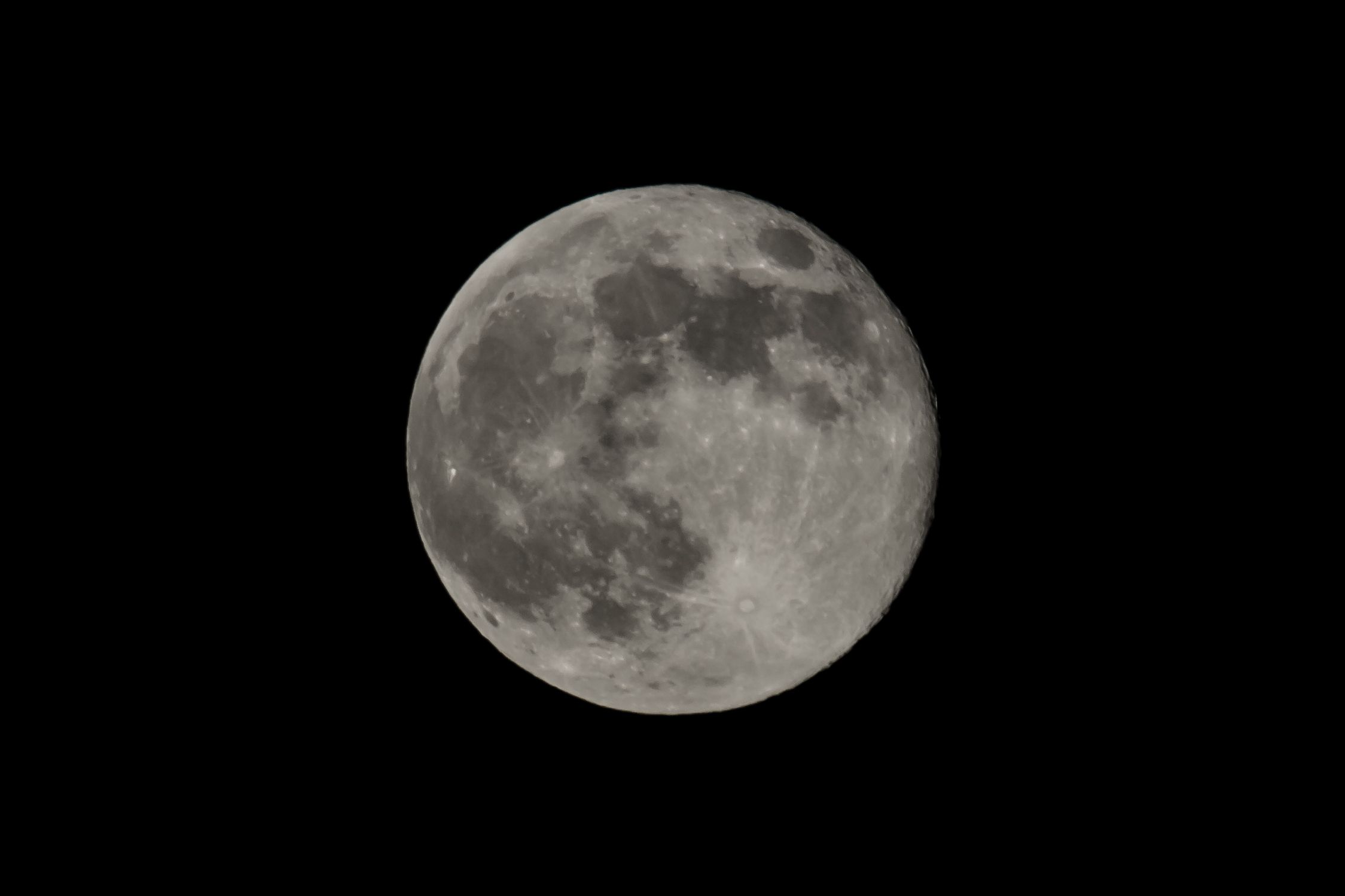
This image of the Moon captures craters, maria and ejecta rays. It was taken with an aperture of f/14, a shutter speed of 1/30 second and an ISO of 200. NASA/Scott Hull
这张月亮照片拍下了环形山、月海(maria)和喷射纹。参数为光圈 f/14、快门 1/30 秒、ISO 200。NASA/Scott Hull
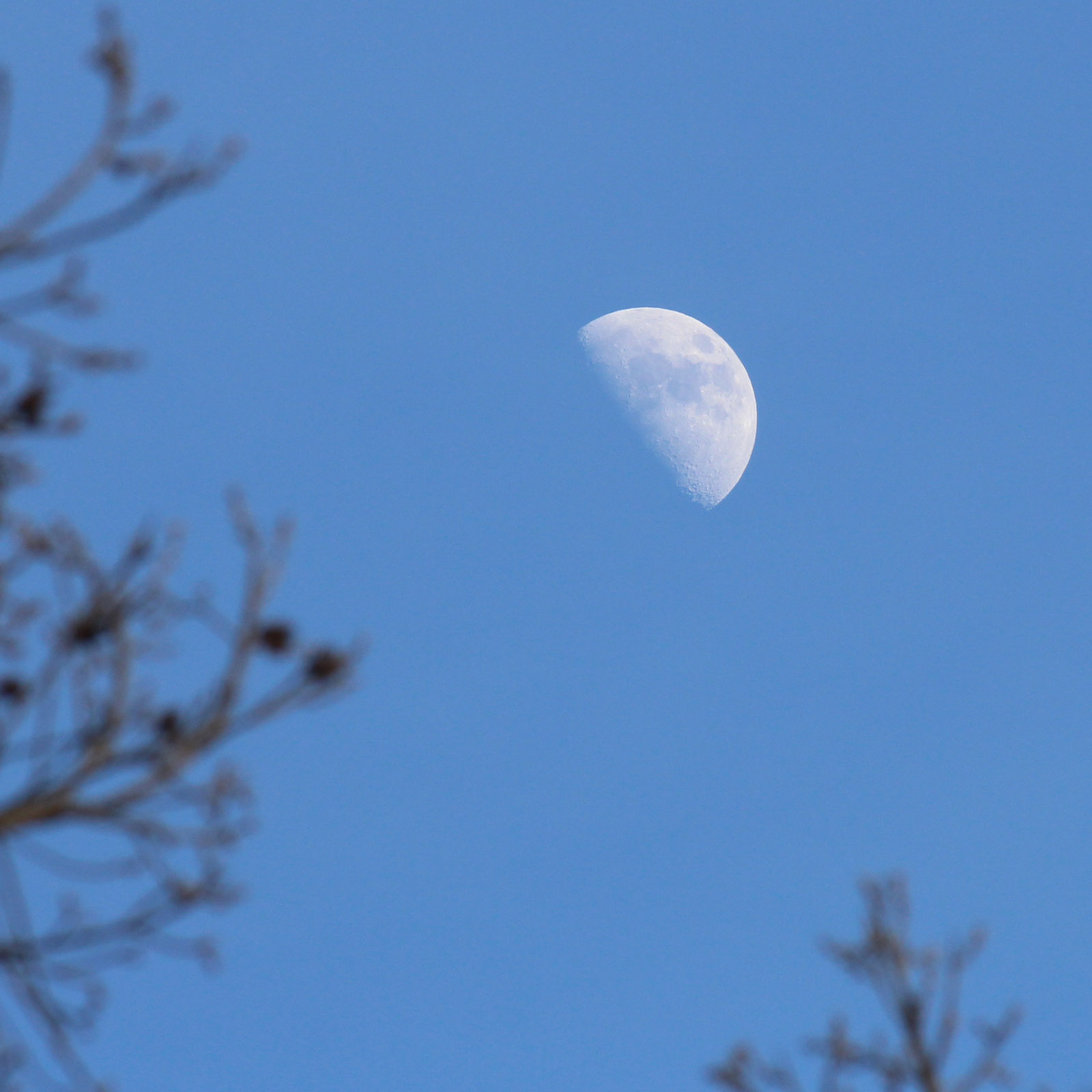
This daylight image was taken with settings close to the Looney 11 rule ― f/11, 1/200 second, ISO 400. When taking a daytime picture of the Moon, be sure not to point your camera near the Sun to avoid damage. NASA/Ernest Wright
这张白天拍的月亮,参数接近 Looney 11 法则——f/11、1/200 秒、ISO 400。白天拍月亮时务必不要让镜头对准太阳附近,以免损坏器材。NASA/Ernest Wright
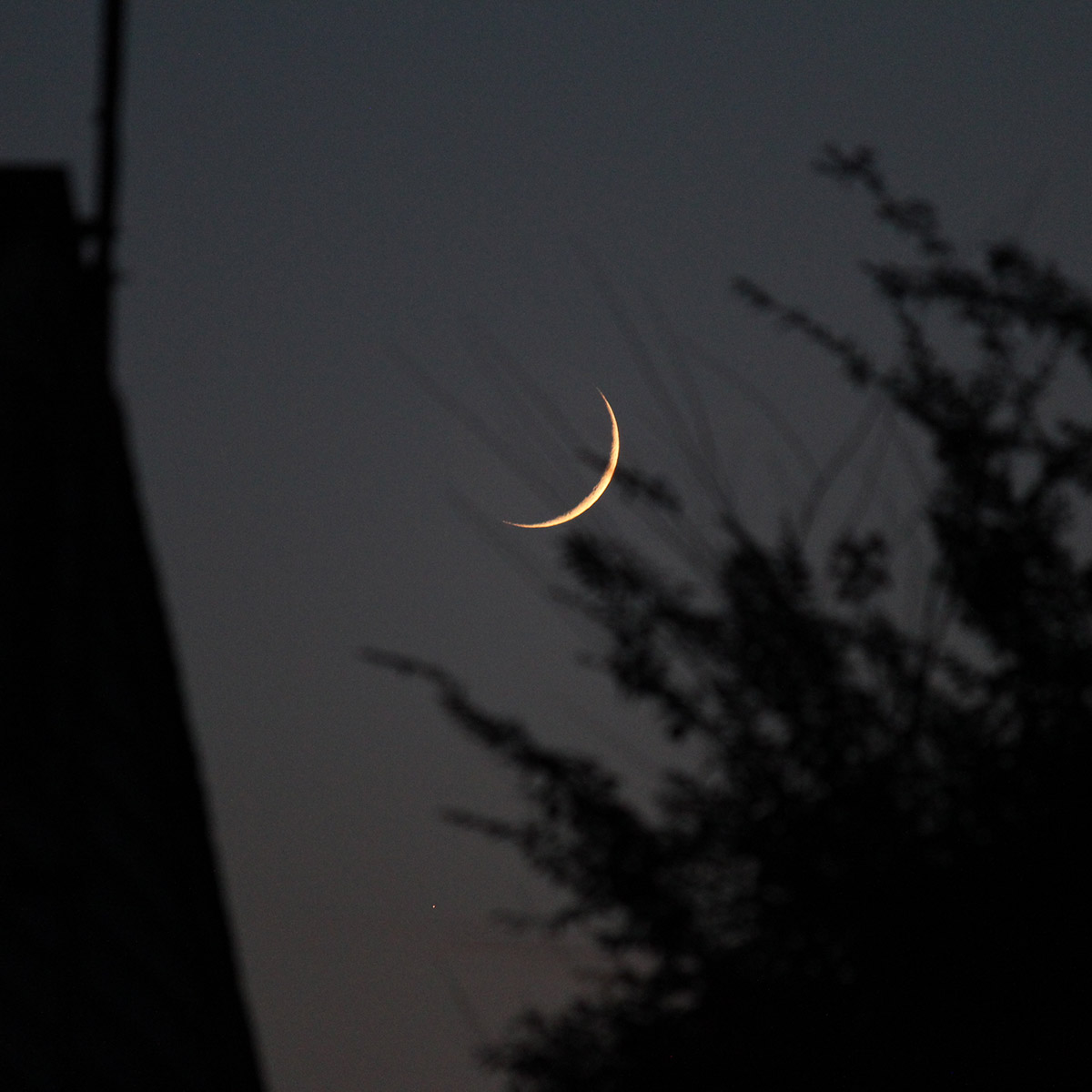
This long-exposure picture, taken with a camera with an aperture set at f/5.6, shutter speed of 1/30 second, and an ISO of 1600, catches the crescent Moon cradled in a tree. The branches seem to appear behind the Moon, a common artifact of a wide-open aperture. NASA/Ernest Wright
这张长曝光照片用光圈 f/5.6、快门 1/30 秒、ISO 1600 拍下了一弯被树枝托住的月牙。树枝看上去像是压在月亮后面,这是光圈开大时常见的成像现象。NASA/Ernest Wright
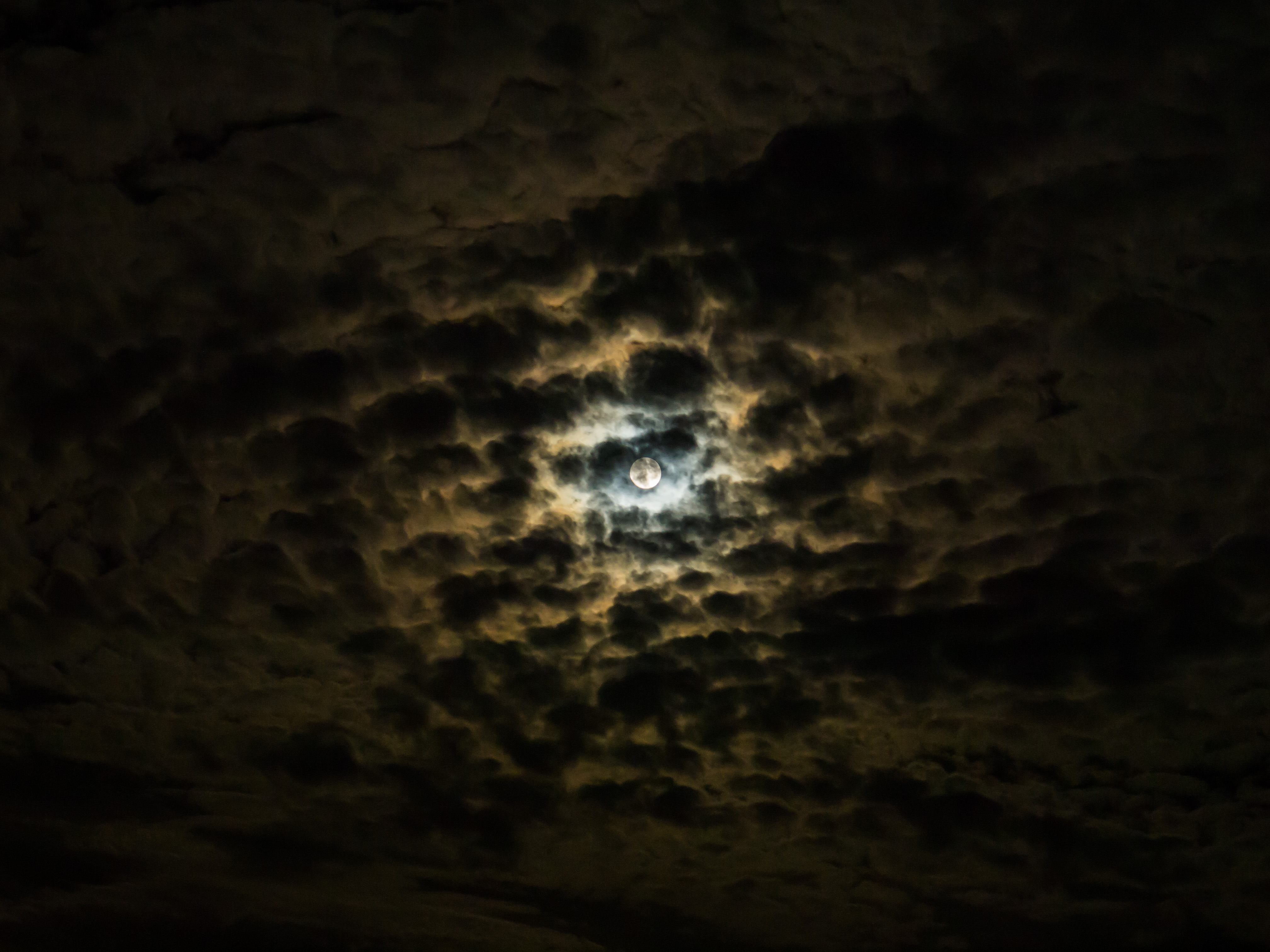
Even poor viewing conditions can provide an opportunity if the composition is right. Cloudy skies here made for a stunning moon portrait, taken with an aperture of f/5.6, shutter speed of one second and ISO of 800. NASA/Scott Hull
只要构图对了,连糟糕的天况都是机会。这里的云层反而成就了一张很有张力的月亮肖像,参数为光圈 f/5.6、快门 1 秒、ISO 800。NASA/Scott Hull
Now it’s time to start experimenting with your camera, so put it in manual mode. Don’t be afraid to change the settings ― that’s why they’re there! The three you’ll need to concern yourself with are aperture (f-stop), exposure time (shutter speed), and ISO.
接下来把相机切到手动模式,开始试。别怕改参数——那些参数本来就是给你改的。真正要盯住的只有三个:光圈(f 值)、曝光时间(快门速度)和 ISO。
Aperture (f-stop) is the size of the shutter opening that allows light into the camera. Lower numbers like f/2 indicate larger openings than higher numbers, like f/12. Exposure time (shutter speed) is how long light is allowed to enter the camera. ISO controls the camera’s light sensitivity. Think of it as a volume control that can raise or lower sensitivity.
光圈(f 值)指的是快门通光孔径的大小。数字越小(比如 f/2)代表孔径越大,数字越大(比如 f/12)代表孔径越小。曝光时间(快门速度)是让光进来多久。ISO 控制相机的感光灵敏度,可以把它理解成一个音量旋钮,负责把灵敏度调高或调低。
There are various tradeoffs between these three settings. While a larger aperture (lower f-number) lets in more light, it also narrows the depth of field, sometimes making it harder to get the Moon in focus. And it makes nearby elements of the composition (trees, for example) more out of focus, a possibly desirable effect called bokeh. A longer exposure lets in more light, but also makes it more likely that camera motion or an unsteady atmosphere will blur the image. And a higher ISO increases both the camera’s sensitivity and the amount of electronic noise in the image. A higher ISO could make your image brighter, but it will also become grainier. The trick is to find the right balance between the effects you want and the ones you don’t.
这三个参数之间存在取舍。光圈开大(f 值变小)进光更多,但景深会变浅,有时反而更难把月亮对实;同时它会让画面里靠近相机的东西(比如树枝)更虚,这就是所谓「焦外虚化」,虚得好看就是优点。曝光时间拉长同样进光更多,但机身抖动或大气不稳导致画面糊掉的概率也跟着上升。ISO 调高既提高了感光度,也增加了画面里的电子噪声——照片确实更亮了,但颗粒也更粗。诀窍就是找到那个平衡点:想要的效果尽量多,不想要的效果尽量少。
Keep in mind that learning how to take a Moon photo is a matter of trial and error. Just as there’s no perfect formula you can follow to paint a picture, there’s no set of instructions that will automatically result in a great Moon image.
记住,学会拍月亮靠的是反复试错。就像画画没有一套完美公式可以照搬,拍月亮也不存在哪套操作步骤能自动产出一张好照片。
Keep in mind that learning how to take a Moon photo is a matter of trial and error. Just as there’s no perfect formula you can follow to paint a picture, there’s no set of instructions that will automatically result in a great Moon image. The variables include your camera, the conditions in the sky, what kind of image you’re trying to capture, and how much you practice.
记住,学会拍月亮靠的是反复试错。就像画画没有一套完美公式可以照搬,拍月亮也不存在哪套操作步骤能自动产出一张好照片。变量包括你的相机、当时的天况、你想拍的是哪种画面,以及你练了多少次。
That said, lunar photographers actually have a rule of thumb called the Looney 11 that can be used as a starting point to photograph the Moon. At its most basic, the rule is to set the aperture at f/11, and make the ISO and exposure time the same. So if the ISO is 100, the exposure time would be 1/100. If the ISO is 200, the exposure time would be 1/200. Aim for a low ISO since the Moon is so bright ― 100 is a good place to launch your experiments.
话虽如此,拍月亮的人手上确实有一条叫「Looney 11」的经验法则,可以当作起手式。最基本的用法是:光圈定在 f/11,然后让 ISO 和曝光时间的数值对应起来——ISO 100 就配 1/100 秒,ISO 200 就配 1/200 秒。因为月亮本身很亮,ISO 尽量取低值,100 是个不错的实验起点。
Take your picture, and check how it turned out. Now you can start playing with the settings to get better results. The Moon images below were taken at a variety of different settings; note how dramatically they vary.
先拍一张,看看结果。然后就可以开始调参数、往更好的方向逼近了。下面这一组月亮照片用的是各不相同的参数,注意它们之间的差别有多大。
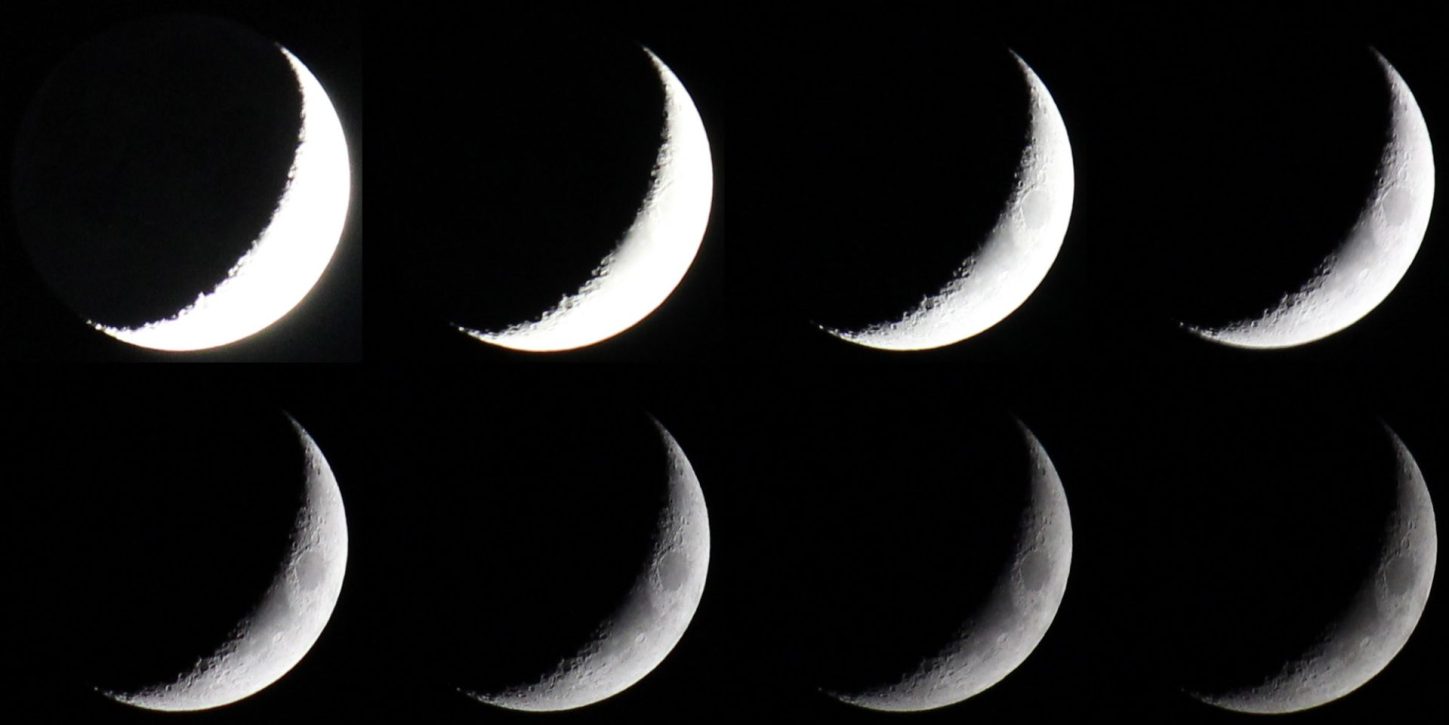
Taking photos across a range of settings ensures that at least some are correctly exposed. In this sequence, the photographer began with an aperture of f/5.6 and an ISO of 1600, then dropped to an ISO of 800 and increased the shutter speed for each image, starting with 1/15 and ending with 1/800 of a second. Ernest Wright
把参数拉成一个区间来拍,至少能保证其中几张曝光是对的。这一组里,拍摄者先用光圈 f/5.6、ISO 1600 拍第一张,随后降到 ISO 800,并逐张加快快门速度——从 1/15 秒一路拍到 1/800 秒。Ernest Wright
四、望远镜(Telescope)
When you take a picture of the Moon through a telescope, your options expand. You can capture the Moon’s features ― from mountains to craters. Your composition here is the Moon itself, untethered from earthbound structures but accompanied by bright stars and even planets, if they’re near.
通过望远镜拍月亮,可选余地会明显变大:从山脉到环形山,月面上的各种细节都能拍下来。这时候画面的主体就是月亮本身——它不再需要地面景物作陪衬,身边只有亮星;如果运气好,还会有行星入镜。
You may be able to capture a lunar image by simply pointing your phone or camera into a telescope eyepiece. This takes practice and a bit of luck. Unless the telescope has a motorized mount that allows it to follow the sky, you’ll have to be ready quickly. With a high-powered eyepiece, the Moon can move out of view in as little as 30 seconds. Some people with steady hands can get a good shot just by holding the phone or camera up to the eyepiece, but don’t be surprised if it’s difficult to aim straight down the center of the barrel. You can also purchase an adapter that will hold the phone or lightweight camera in position for you.
把手机或相机的镜头直接对准望远镜目镜,也能拍下月亮。这件事要靠练,也靠一点运气。除非望远镜配有能跟天的电控赤道仪,否则你必须动作很快:换上高倍目镜后,月亮最短在 30 秒内就会移出视野。手稳的人举着手机或相机贴着目镜就能拍到不错的照片,但镜头很难正好压在镜筒正中央——这很正常。也可以买一个转接支架,帮你把手机或轻量相机固定在位。
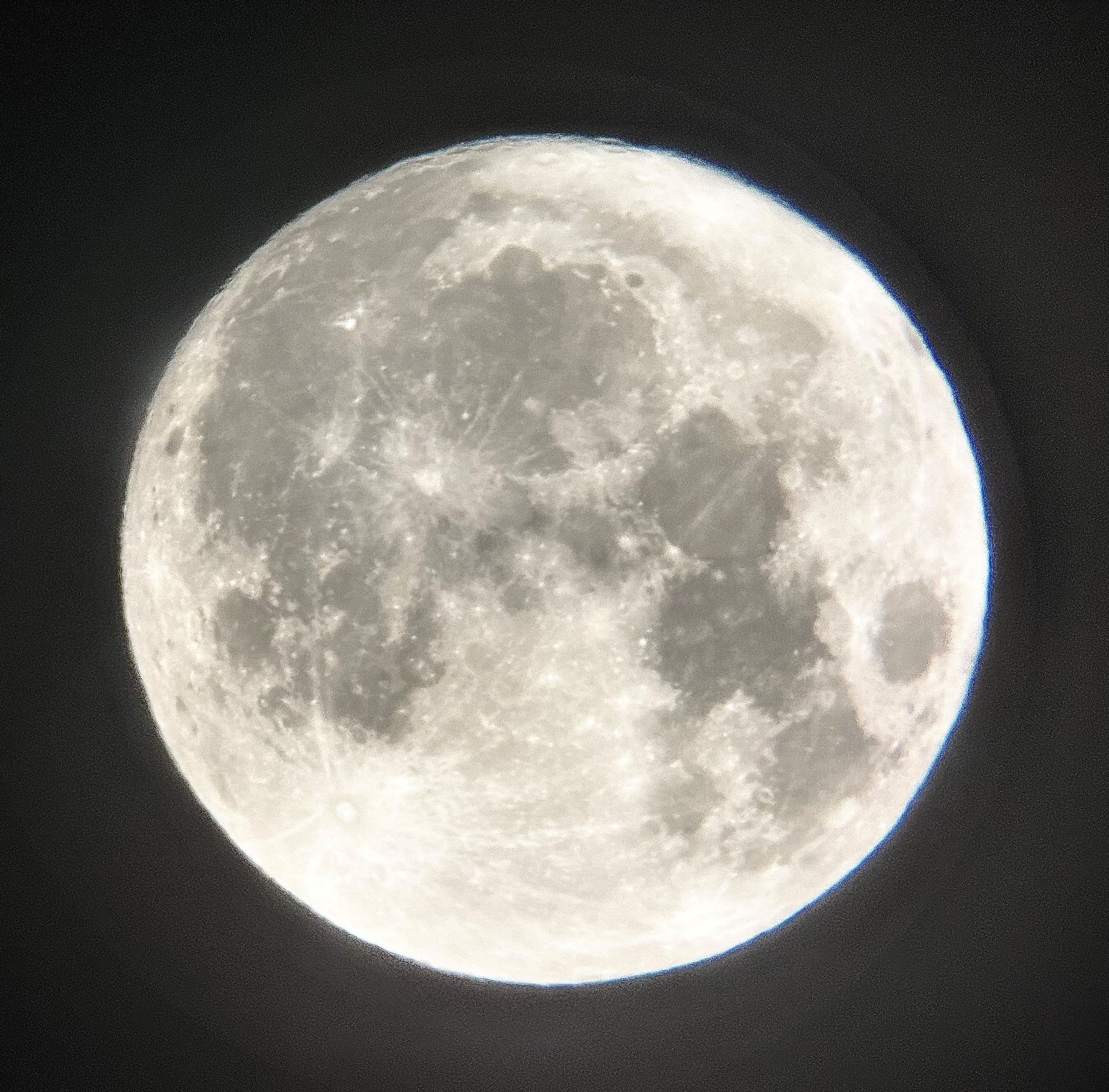
This image, taken through a f/6 telescope, was captured with a cell phone camera.
这张照片透过一台 f/6 望远镜拍摄,机身就是手机。
Put your camera in manual mode. Instead of using your camera to focus, you’ll use the telescope’s focus knobs. The aperture of a telescope is fixed, and it’s usually stated as part of its shorthand description. An “85mm f/7 refractor,” for example, is a telescope with a lens that’s 85mm in diameter and a focal length 7 times that, or about 600mm. The shutter speed and the ISO sensitivity are the two settings that the camera can control.
相机切到手动模式。对焦不靠相机镜头,而是转望远镜的调焦旋钮。望远镜的光圈是固定的,通常直接写在它的简写规格里:比如「85mm f/7 折射镜」,指的是口径 85mm、焦距是口径的 7 倍,也就是约 600mm。相机这边能控制的只有两件事——快门速度和 ISO。
With a little more equipment, you can try prime focus photography, in which a DSLR camera body attaches directly to the telescope tube and uses it as the lens. You’ll need both a T-ring (which fits onto the camera where the lens is normally attached) and a prime focus T-adapter (which fits into the end of the telescope tube and uses the T-ring to attach the camera). The T-ring is specific to your camera model, and the T-adapter is made for specific models of the telescope.
再多置办一点器材,就可以试直焦摄影(prime focus):把单反机身直接接到望远镜镜筒上,让望远镜充当镜头。这时你需要两个配件——一个 T 环(装在相机原本接镜头的位置),和一个直焦 T 接环(插进镜筒末端,通过 T 环把相机接上去)。T 环要匹配你的相机卡口,T 接环则要匹配望远镜的具体型号。
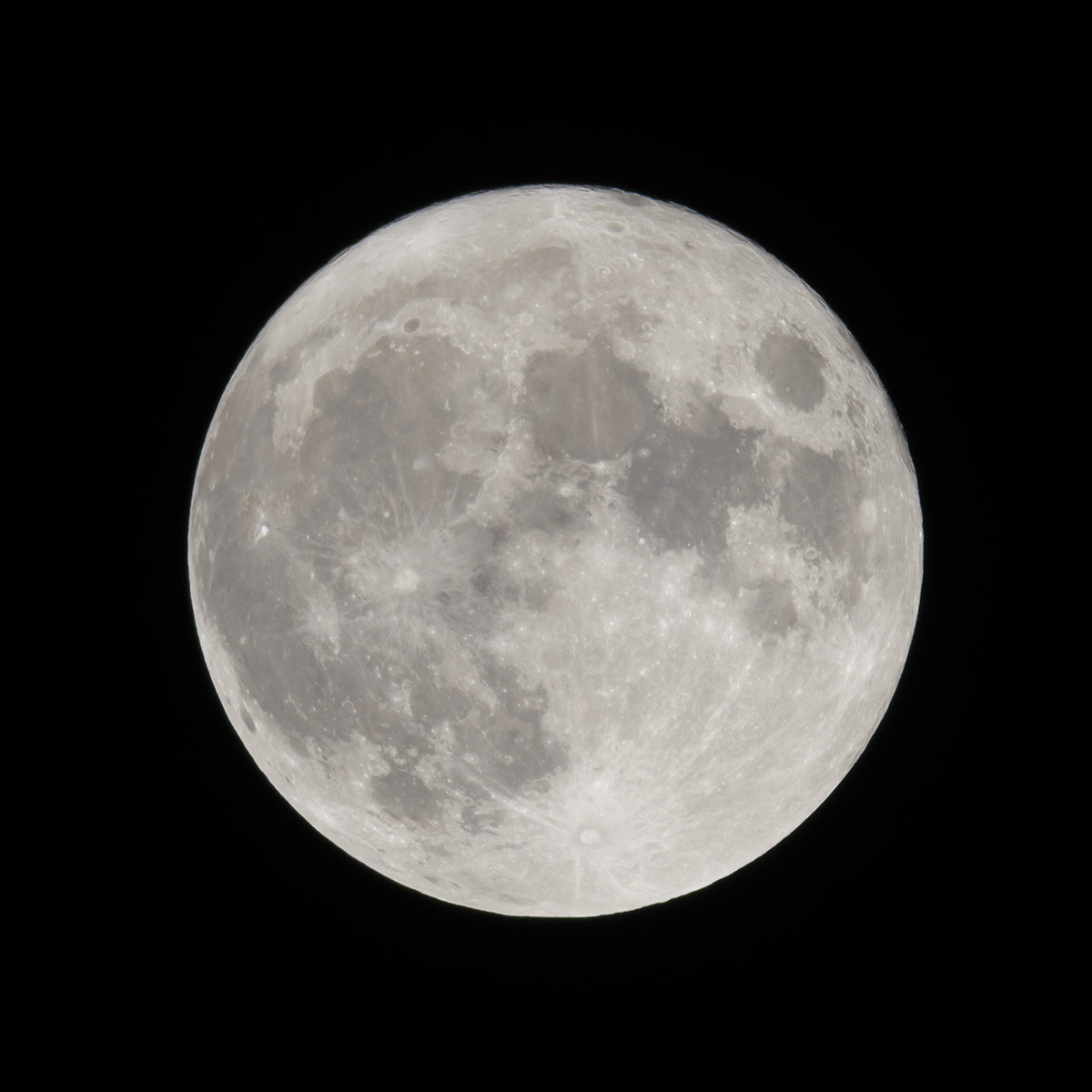
Faster shutter speeds with higher ISO and slower speeds with lower ISO can both produce good images. The choice depends on the conditions and your equipment. This was taken with an f/7 telescope at an ISO of 100 and a shutter speed of 1/250 second. Ernest Wright
高 ISO 配快快门、低 ISO 配慢快门,都能拍出好照片,选哪条路取决于天况和器材。这张用 f/7 望远镜拍摄,ISO 100、快门 1/250 秒。Ernest Wright
If your camera has a live view mode, that will make focusing and composition easier and will keep the mirror mechanism inside your camera from moving the camera slightly when you take your picture. You’ll want to either engage live mode or use your “mirror lock” option, if available, to avoid that internal vibration. You can also connect your camera to a laptop using a USB cable and software provided by the camera manufacturer. The larger laptop screen makes focusing even easier, and the laptop can be used like a remote shutter release.
如果相机有实时取景(live view),对焦和构图都会更省事,而且它能让反光板在曝光瞬间不动作,避免机身被内部机构带动。要么开实时取景,要么用「反光板预升」功能,把那点内部震动挡掉。也可以把相机用 USB 线连到电脑上,用厂商自带的联机拍摄软件:笔记本屏幕更大,对焦更轻松,电脑还能当快门线用。
Since you can see what the camera’s sensor is recording, a live view also makes it easier to adjust the exposure and ISO settings. These settings depend a great deal on the telescope, so you’ll need to experiment, but in general, you’ll want to favor a faster shutter speed because the telescope’s narrow field of view will magnify the effects of telescope vibrations, atmospheric turbulence, and the motion of the Moon through the field. An important drawback of live view, however, is that prolonged use can heat up the sensor, adding electronic noise to your images.
实时取景能让你直接看到传感器正在记录什么,因此调曝光和 ISO 也更容易。这两个参数对望远镜的依赖很大,只能自己试;但总的来说快门宜快不宜慢——望远镜的视野很窄,镜身震动、大气扰动、月亮在视野里移动,这些影响都会被放大。实时取景有一个重要缺点:长时间开启会让传感器发热,给画面添上电子噪点。
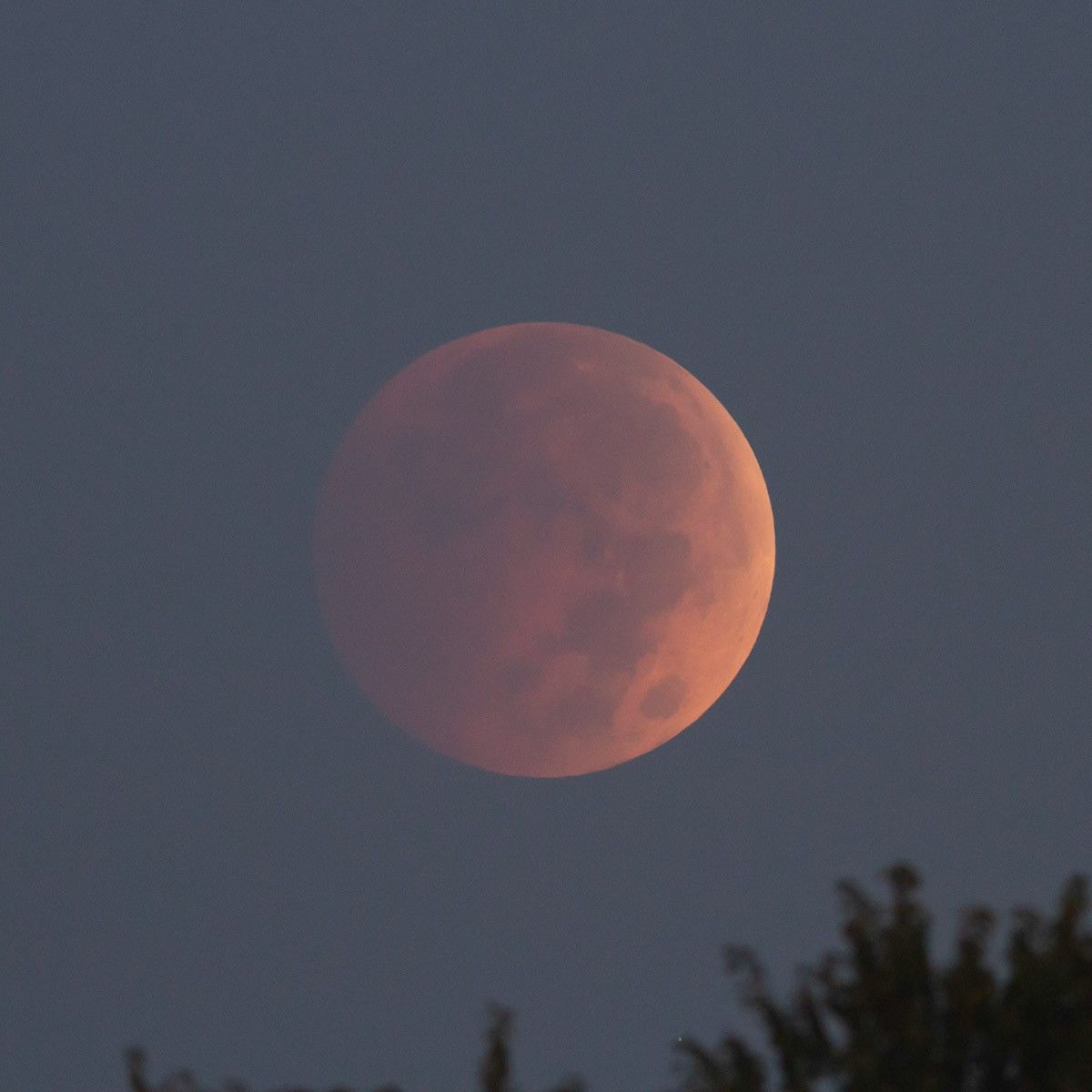
A total lunar eclipse is a thousand or more times dimmer than the full Moon and settings will have to be adjusted accordingly. This was taken with an f/7 telescope at an ISO of 800 and a shutter speed of 1/2 second. Ernest Wright
月全食的亮度比满月暗一千倍以上,参数必须跟着改。这张用 f/7 望远镜拍摄,ISO 800、快门 1/2 秒。Ernest Wright
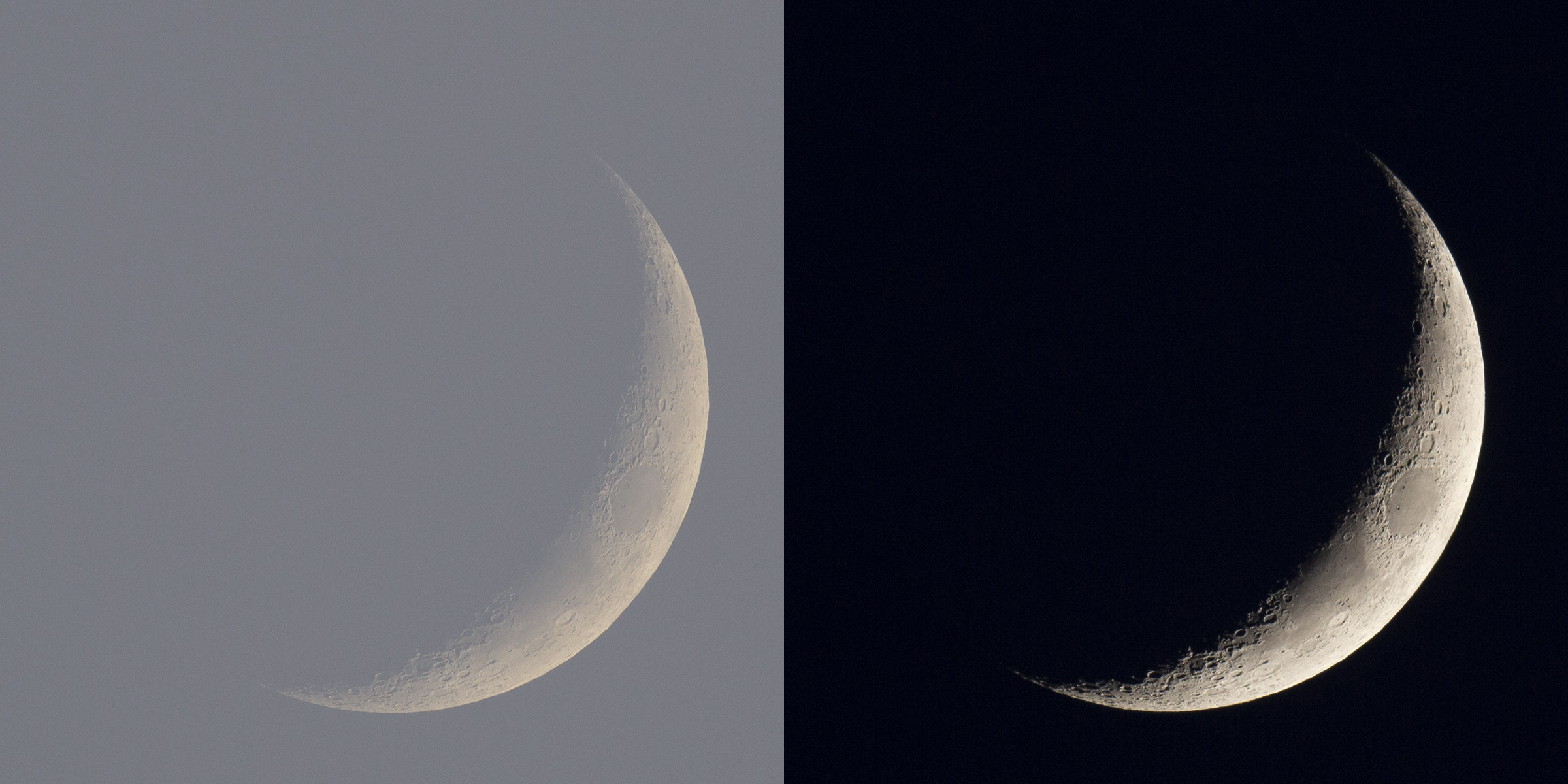
In these images, both taken with an f/7 telescope, the presence or lack of daylight dramatically alters the effect. In the twilight image (left), taken with an ISO of 100 and a shutter speed of 1/100 second, the Moon is an ethereal bubble. The nighttime view (right), taken with an ISO of 400 and a shutter speed of 1/100, highlights details of the lunar surface. Ernest Wright
这两张都用 f/7 望远镜拍摄,天光的有无让效果截然不同。左边的黄昏照用 ISO 100、快门 1/100 秒拍摄,月亮像一个轻盈的气泡;右边的夜景照用 ISO 400、快门 1/100 秒拍摄,月面的细节被凸显出来。Ernest Wright
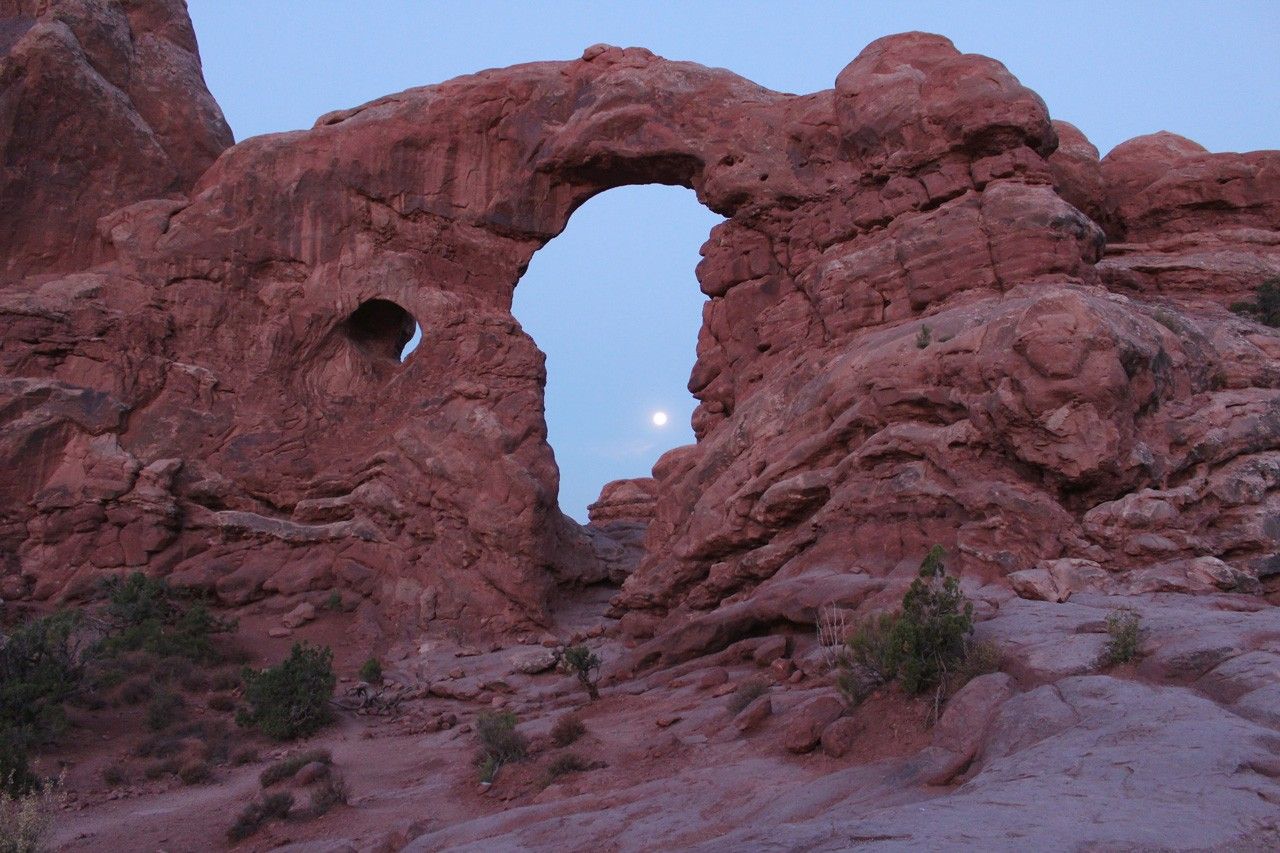
The early morning Moon sets behind Turret Arch in Arches National Park, Utah on July 28, 2018. NASA/Bill Dunford
2018 年 7 月 28 日,清晨的月亮落在犹他州拱门国家公园的炮塔拱(Turret Arch)后方。NASA/Bill Dunford
写在最后
上面是原文,下面是几点值得单独拎出来的补充。
Looney 11 是从「阳光 16 法则」改出来的。 晴天在户外拍被阳光直射的景物,有条老规矩叫 Sunny 16:光圈 f/16,快门速度取 ISO 的倒数(ISO 100 配 1/100 秒)。月球表面本身也是被阳光照亮的,理论上这条法则同样适用;但月面的反照率只有 0.12 左右,比这条法则默认的 18% 中性灰暗了半档多,于是把光圈从 f/16 放宽到 f/11 补回来——名字也顺着 lunar / loony 的谐音变成了 Looney 11。知道这层来历,你就不会把它当成一个拍脑袋定下的数字。
想拍出环形山和月海的立体感,别挑满月。 这条原文没写,但它比任何参数都更影响成片。满月时太阳几乎正对月面,光是「平」的,月面几乎没有影子,拍出来像一张灰纸。真正有层次的是明暗交界线(terminator)附近——太阳斜射,环形山拉出长长的影子,月海和高地的分界全在这条线两侧。原文举例用的多半是弦月、月牙,并不是偶然。
手机拍月亮真正的敌人是自动测光。 对焦、像素、算法都不是瓶颈;问题出在测光逻辑上——手机按整幅画面的平均亮度计算,而月亮只占很小一块、周围全是黑的,算法为了把黑夜提亮,会把月亮一起推到过曝。所以原文在「手机」一节里反复强调「降低亮度」:点住月亮往下拉曝光补偿,是手机拍月亮唯一必须手动完成的动作。判断标准也很直接——只要月亮在屏幕上是灰的、还能看见月面的痕迹,这张照片就有救。
原文有一处明显的重复段落。 望远镜一节的「把相机切到手动模式……快门速度和 ISO 是相机能控制的仅有两项」,在页面上连着出现了两次(分别位于那张 f/7 望远镜满月图的前后)。看上去是页面编辑时的复制粘贴失误,本文只保留了一次。
先别买器材。 原文把这句话放在最前面,值得再说一遍。按对成片的影响排序,大致是:稳定的支撑 > 会手动压曝光 > 镜头或望远镜的口径。一张靠在栏杆上拍的手机照片,通常好过一张手持长焦照片;一张在明暗交界线附近拍的手机照片,通常好过一张满月时的望远镜照片。